First-Run Setup
First-run setup is the starting point for a new StatiBeat workspace.
Use it to create the first usable admin environment before you build out the full status-page model.
What to prepare
Before starting, decide:
- the organization or workspace name
- who should own the first admin account
- the first status page name
- whether the page should start public or private
- the first URL prefix you want to use
If a term is unfamiliar, check the StatiBeat glossary before you continue. In particular, a workspace is your organisation's StatiBeat environment, while a status page is the customer-facing page inside it.
You do not need to finish hierarchy, Slack, Beats, API, or Terraform during first-run setup. Those can come later.
Recommended setup order
- Sign in and create or confirm the workspace.
- Create the first admin user, or confirm that the person who signed up has the administrator roles.
- In Organization Admin, create the first status page. Enter its public name, URL prefix, and initial visibility.
- Open Page Admin for that page.
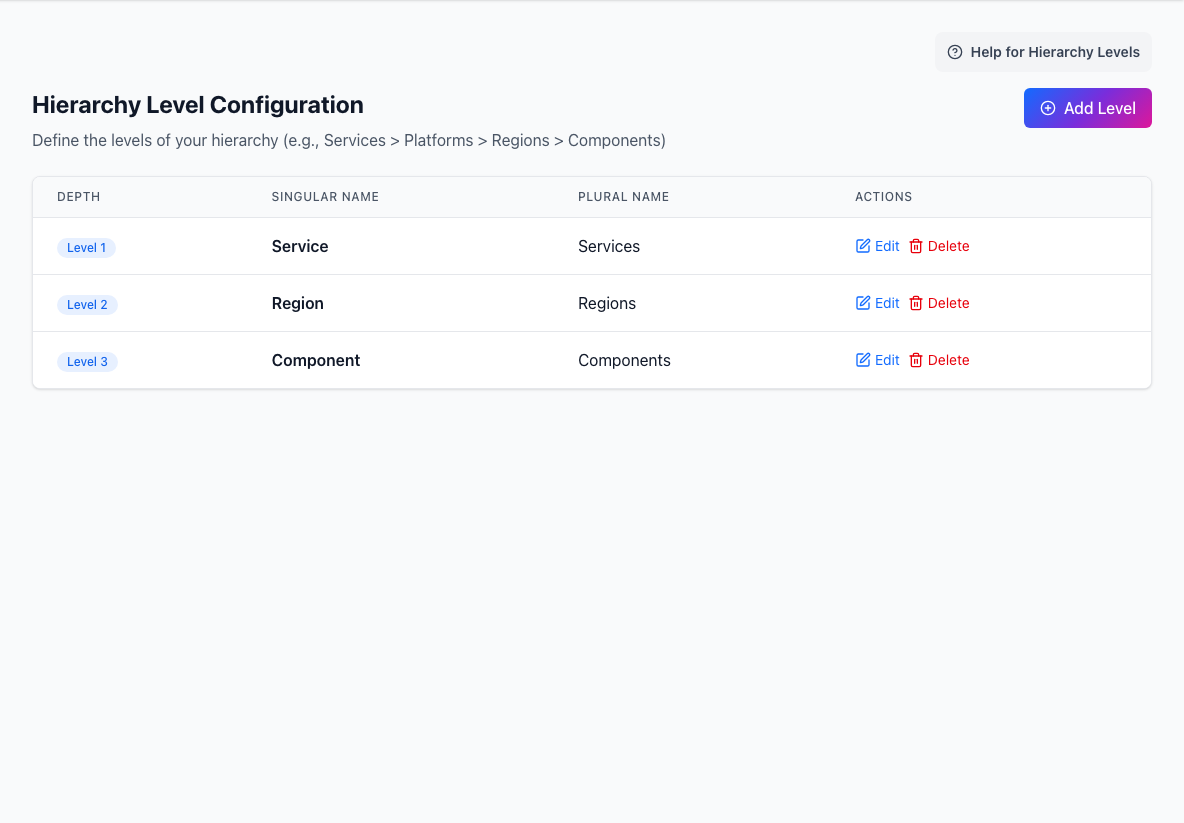
- In Service Model → Hierarchy Levels, add the first levels that customers will understand.
- In Service Model → Hierarchy Items, add a small set of real services or components.
- In Overview & Operations → Incidents, run one test incident from creation to resolution.
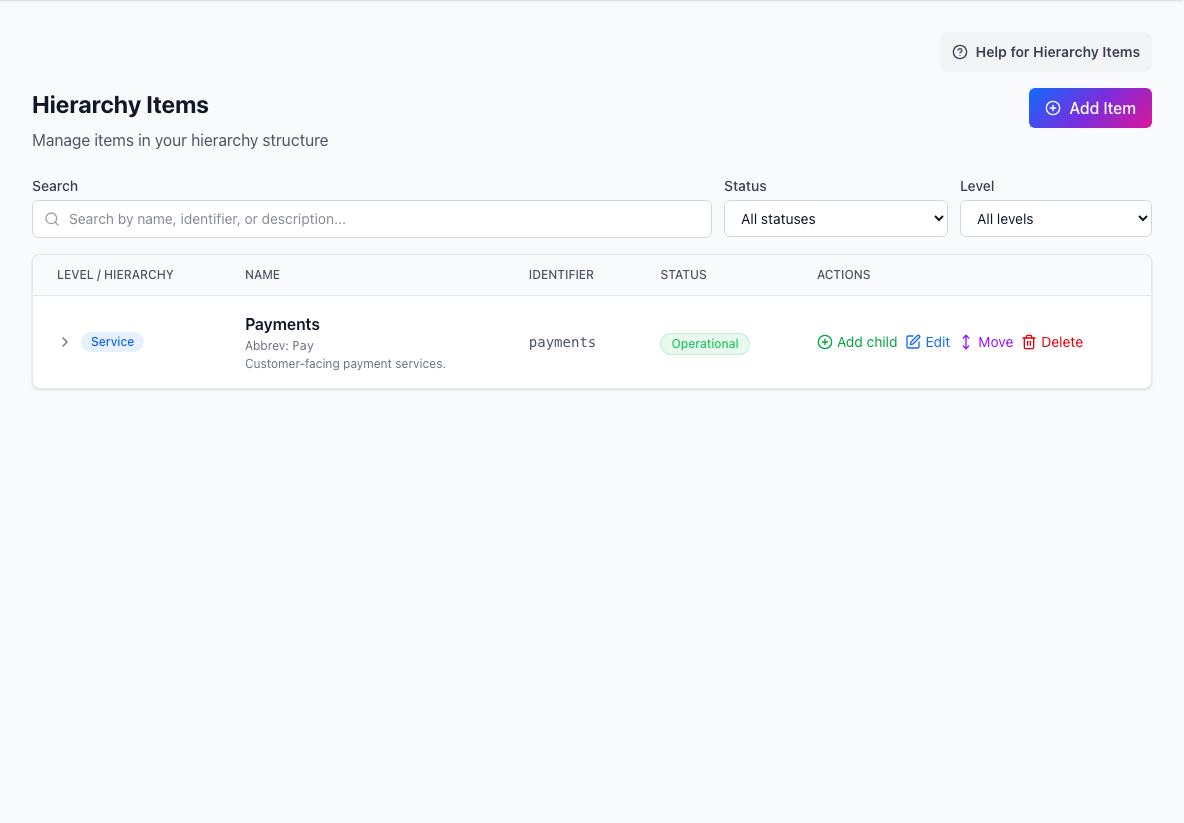
- Add ItemCreates a service, region, component, or another hierarchy item.
- Search and filtersNarrows the hierarchy by text, status, or level.
- Hierarchy tableShows each item, identifier, current status, and available actions.
The labels above match the standard admin navigation. Your workspace may hide a section when your role, plan, or feature configuration does not include it.
This gives you a working page before you add deeper configuration.
You can open the public page, see the hierarchy you created, publish a test incident, and explain who owns the next operational step. Stop there until that path feels predictable.
Keep the first page simple
Start with the services your readers recognize. It is better to publish a clear small page than to model every internal dependency on day one.
Add automation only after the manual flow feels right.
After setup
Continue with: