How Custom Views Work
Custom views publish a focused version of your status page for a specific audience, team, or customer segment.
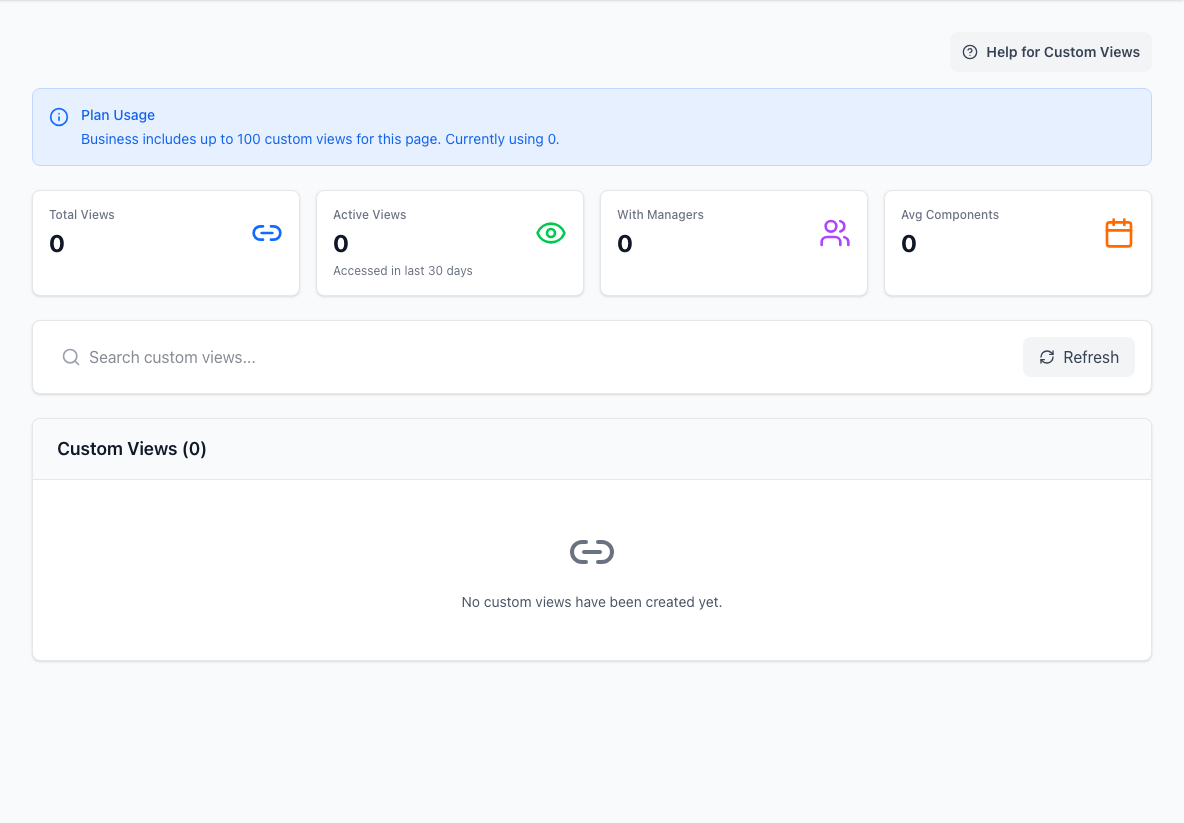
- Summary metricsShows view usage and management at a glance.
- Search and refreshNarrows the view list and reloads current data.
- Custom view listLists the focused status-page views available to audiences.
Use a custom view when one audience only cares about a subset of your hierarchy and does not need the full page.
What a custom view is
A custom view is:
- named and described
- tied to selected components
- available through a short code
- optionally given a friendly URL alias
- optionally protected with an email-based viewer gate
- manageable by owners and managers
Public and protected views
Custom views can be public or protected.
Access modes include:
publicverified_emailallowed_domainsallowed_emails
Use public for simple scoped links. Use verified email or allowlists when the view should be shared only with a known audience.
Protected custom views add an audience gate on top of a public page. If the whole page needs to be private, use page-level viewer access instead.
What viewers see
A custom view can show:
- view name and description
- monitored component count
- scoped overall status
- active incidents relevant to selected components
- resolved incidents relevant to selected components
- a scoped hierarchy tree
- share controls
If a selected component is later removed, the view can show a warning so managers know the scope needs attention.
How admins define a view
Admins can configure:
- name
- description
- URL alias
- component selection
- viewer access mode
- approved domains or email addresses
- access prompt and session duration
- managers
Use short, audience-friendly names. A customer should understand the view without needing to know your internal service map.
Short code vs alias
The short code is the durable identifier for a custom view.
The alias is the friendly label you can share with humans.
Treat the short code as the safer source of truth for automation, imports, and exports. Use aliases for readable links.
Ownership
Custom views can have managers, so the page admin team does not need to own every scoped audience view forever.
Delegated management is useful when:
- a customer success owner manages customer-specific views
- a regional team manages its own view
- an internal service owner manages a narrow service area
Keep ownership clear so stale views are reviewed or retired.
When custom views are a good fit
Use a custom view when:
- one customer only uses part of your platform
- one internal team only needs one service area
- a scoped link is clearer than asking readers to ignore most of the page
Use the main public page when:
- the audience needs the full service picture
- incidents often cross many service areas
- a narrow view would hide important context