Incident and Maintenance Lifecycles
Lifecycle stages define the steps your team uses to move incidents and maintenance from start to finish.
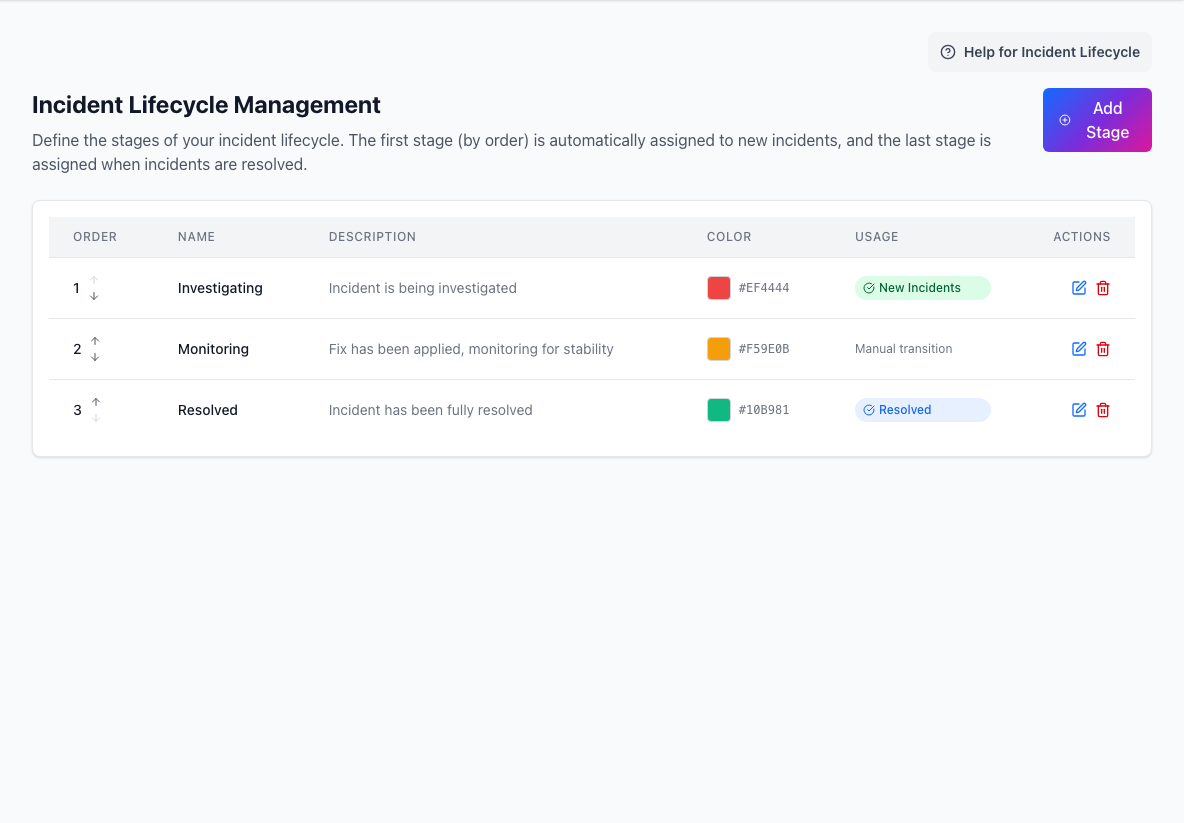
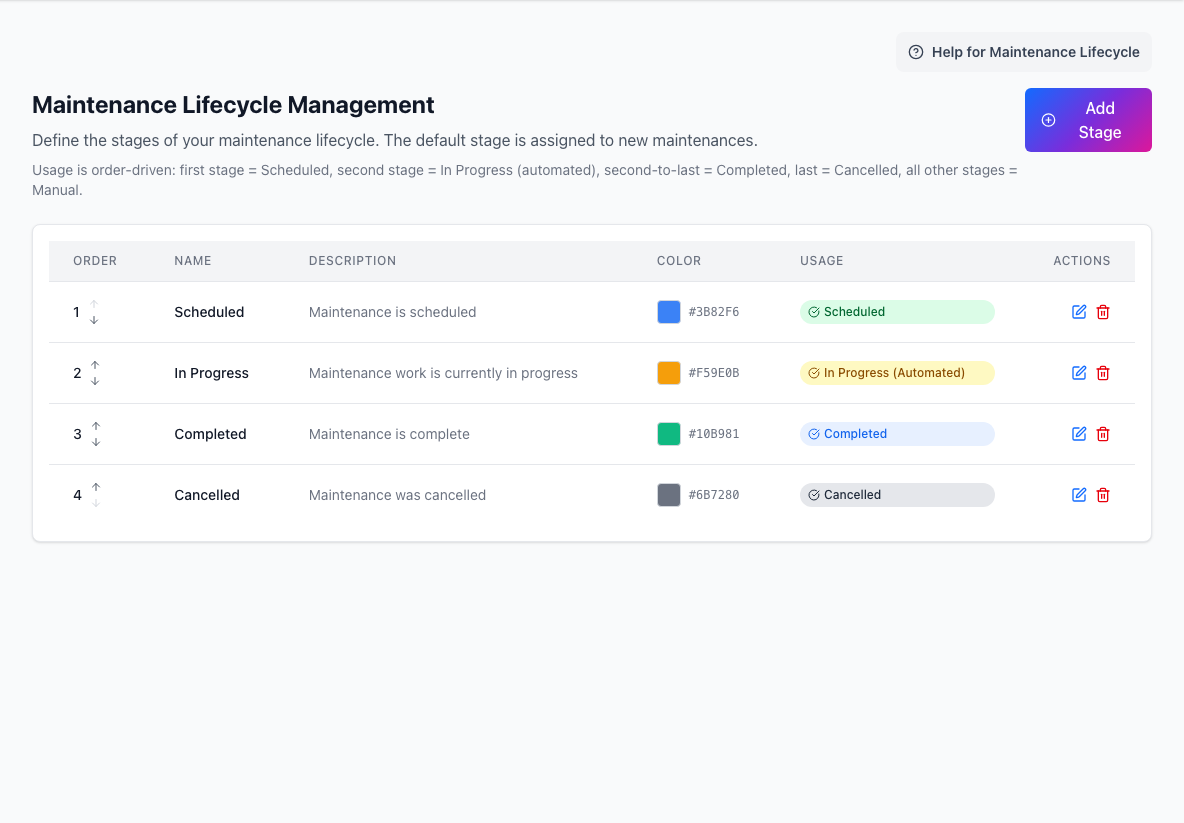
Keep lifecycle stages simple. Operators need to choose the right stage quickly while work is active.
Incident lifecycles
Incident lifecycle stages describe the state of an unplanned issue.
The usual model is:
- an opening stage for new incidents
- optional middle stages for investigation or mitigation
- a final resolved stage
Use middle stages only when they help operators and readers understand real progress. Too many stages can slow updates down.
Maintenance lifecycles
Maintenance lifecycles describe planned work.
A practical model is:
- scheduled
- in progress
- completed
- cancelled
Maintenance stages should match the milestones your team actually communicates to users. Avoid adding internal-only process states unless they improve public clarity.
Defaults
Both lifecycle areas can start from default stages. Use defaults when you want a sensible baseline and refine them only if your team's language is different.
Backfill and imports
When importing historical incidents or maintenance, use the real event times and ordered updates.
That keeps history accurate and prevents imported events from reading like they happened at the time of import.
Practical guidance
For incidents:
- Make the first stage clear, such as
Investigating. - Make the final stage clearly resolved.
- Add middle stages only when operators will use them consistently.
For maintenance:
- Keep planned-work stages aligned with customer-visible milestones.
- Use
CompletedandCancelleddistinctly. - Review lifecycle language before broad rollout.