Page Access
Page access controls who can operate a specific status page and what they are allowed to do there.
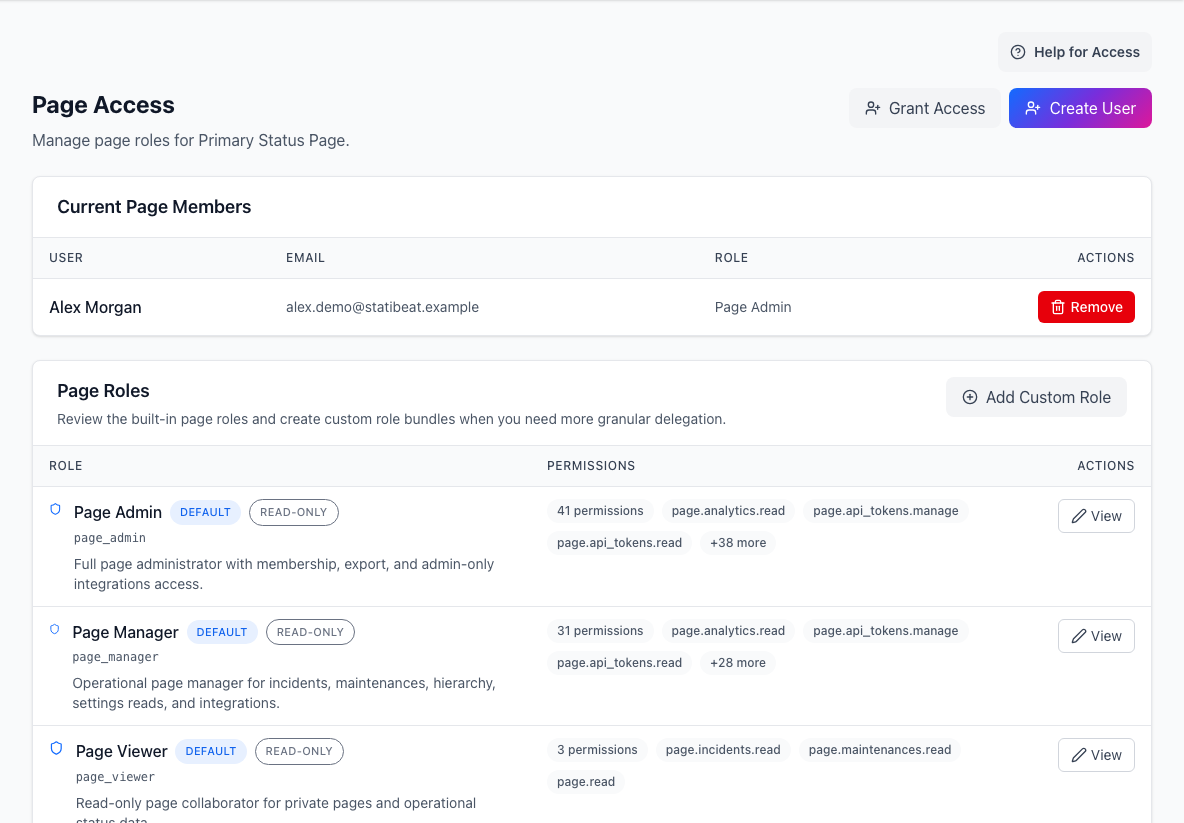
- Access actionsGrants an existing user access or creates a new user.
- Current page membersShows who can access this page and the role each person holds.
- Page rolesExplains the built-in roles and their permission bundles.
Org admin access and page access are separate. Someone can help administer the tenant without being responsible for every page.
What page access is for
Use page access to:
- see who currently has access to a page
- grant an existing organization user access to the page
- create a new user and assign page access
- remove page access
- define or assign custom page roles when advanced RBAC is available
Page access is about operational ownership: who can manage incidents, maintenance, settings, subscribers, Slack, Beats, and other page-level work.
Built-in roles
The built-in page roles are:
viewermanageradmin
Use viewer for people who only need page visibility. Use manager for day-to-day operators. Use admin for people who own page configuration and access.
Grant access to an existing user
To grant page access:
- Open the page admin workspace.
- Go to
Access. - Choose an organization user who does not already have page membership.
- Select the page role.
- Save the assignment.
The user list is filtered so you can focus on users who are eligible for access.
Create a user with page access
If the person is not already in the organization, create the user from the same access area and assign the initial page role.
You will usually provide:
- display name
- password or invitation details, depending on workspace setup
- initial page role
Custom page roles
Advanced RBAC lets teams define more precise page roles.
Custom roles are useful when a team needs someone to own a specific area, such as:
- incidents
- maintenance
- hierarchy
- subscribers
- Slack
- Beats
- page settings
If advanced RBAC is not available on the workspace, existing custom roles may remain visible but read-only until the feature is available again.
Remove access
Removing page access prevents the user from operating that page. Use the confirmation step to check that you are removing the correct person from the correct page.
Before removing access, confirm whether the user owns any operational process, such as incident response, subscription management, or automation setup.
Good access habits
- Keep org-admin access limited to tenant owners.
- Give page-admin access only to people who own configuration.
- Use manager-style roles for incident operators.
- Review access after team changes.
- Prefer custom roles when broad admin access would be too much.
Related docs
- See SSO and Access
- See Organization Admin