Page Routing and Viewer Access
Use page routing and viewer access settings to control where a status page lives and who can see it.
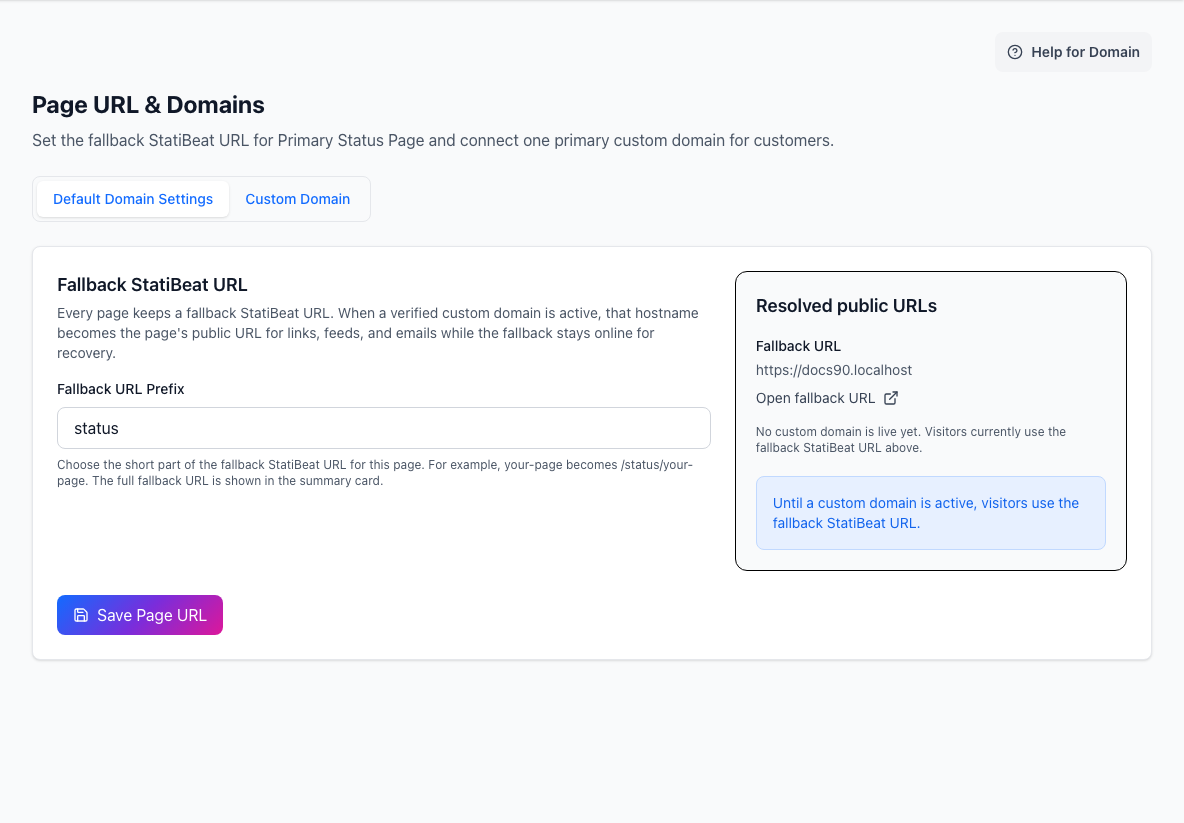
The fallback StatiBeat URL remains available while DNS and certificate setup for a custom domain is in progress.
What this screen manages
This area controls:
- the page URL prefix
- whether the page is public or private
- viewer access for private pages
- one managed custom domain
Routing and viewer access are closely related. Decide who should be able to see the page before you share or cut over a custom domain.
URL prefix
The URL prefix is the short address segment used by the platform fallback URL.
Keep the prefix stable when possible. It is useful even after a custom domain is active because it gives you a dependable fallback address.
The routing screen shows the current public URL and custom-domain URL so you can confirm what visitors should open.
Private-page viewer access
When a page is private, choose how visitors authenticate.
Available access modes include:
- shared password
- viewer SSO
- shared password or viewer SSO
Viewer access is for people reading the status page. It does not grant admin access.
Use a shared password for simple private access. Use viewer SSO when access should follow identity-provider membership.
Viewer SSO
Viewer SSO can use OIDC or SAML, depending on your workspace setup.
You will normally configure:
- provider type
- enable or disable state
- issuer or SSO URL
- client credentials or certificate details
- redirect, ACS, or metadata URLs
- claim or attribute mappings
Rotate secrets or certificates from this area when ownership or identity-provider configuration changes.
Managed custom domain
Each page can have one primary managed custom domain plus its fallback StatiBeat URL.
The normal custom-domain flow is:
- Add the hostname.
- Copy the DNS records shown in StatiBeat.
- Publish the DNS records with your DNS provider.
- Wait for verification and certificate readiness.
- Activate the domain.
The domain status separates routing and certificate readiness so you can see which part still needs attention.
Practical workflow
For a new page:
- Choose the URL prefix.
- Decide whether the page starts public or private.
- If private, configure shared password or viewer SSO.
- Add the custom domain.
- Verify DNS and certificate status.
- Activate the domain.
- Open the final visitor URL and confirm the page loads as expected.