Customization
Customization controls how the public status page looks and reads.
Use This Page For
- Adjust branding and homepage content.
- Match the visual language of an existing product, documentation, or support site.
- Control public wording for incidents and notifications.
- Tune the status page experience for your audience.
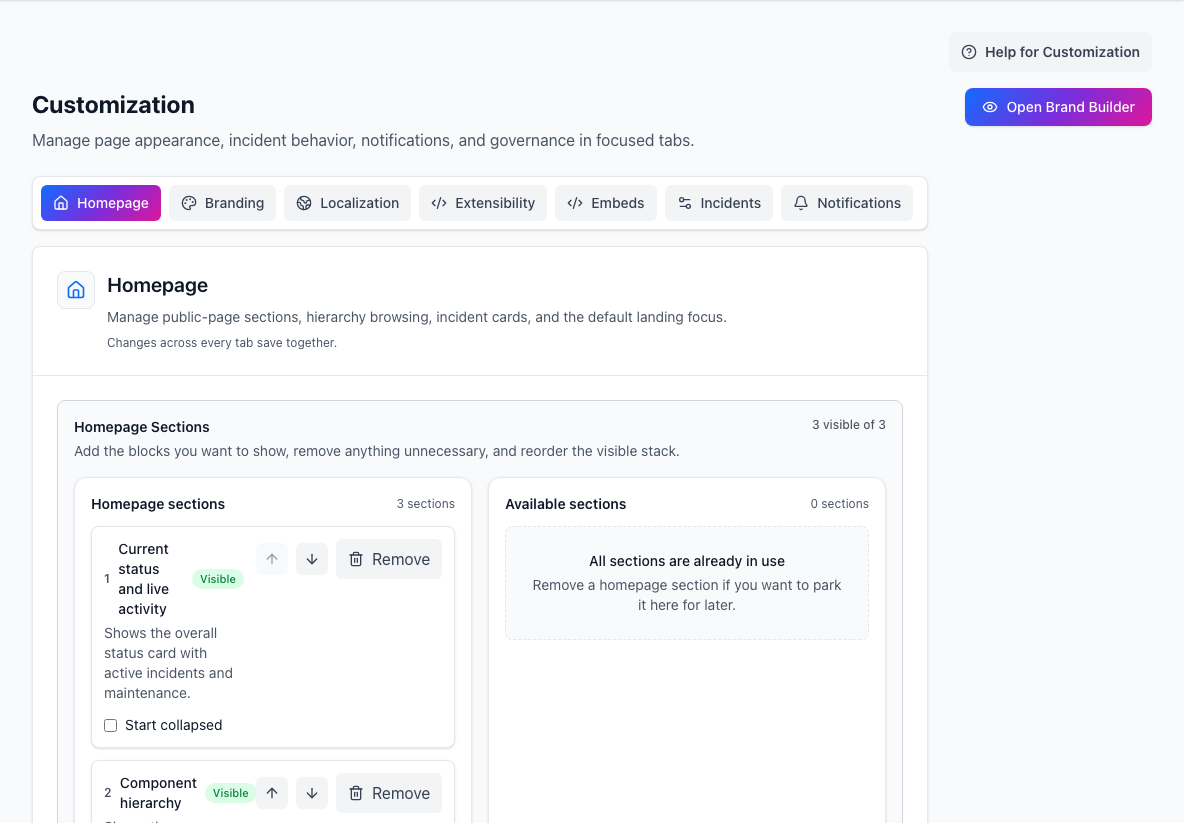
- Customization areasSwitch between homepage, branding, localization, embeds, and behavior settings.
- Homepage sectionsControls which public-page sections are visible and in what order.
Visual Identity
- Upload light and dark logos and a favicon.
- Set light and dark brand accents.
- Add separate managed page and header backgrounds.
- Choose body and heading fonts, including licensed managed WOFF2 uploads.
- Choose split, stacked, or centered headers and icon, mixed, or labeled actions.
- Add safe header links, footer copy, and footer links without injecting HTML.
Visual Customization Studio
- Choose Open Visual Studio to preview unsaved managed settings and CSS.
- Check desktop, tablet, and mobile widths; each selection uses a real isolated viewport, including normal media-query behaviour.
- Switch among homepage, incident detail, and access surfaces.
- Test populated, loading, empty, and error states in light and dark mode.
- Edit scoped CSS in the studio and resolve its validation messages before saving.
- Use Open full-page preview only when you need a final short-lived preview against real page data.
Custom CSS Safety And Recovery
- Start every selector with, or otherwise contain it under,
.sb-pageor[data-sb-page]. - Prefer
--sb-*visual tokens and stabledata-sb-*hooks over utility classes or DOM depth. - Custom CSS cannot load external URLs, define fonts, inject scripts, or hide and disable required controls.
- CSS history keeps published revisions available for restore or disable.
- If a protected control becomes unusable, StatiBeat removes custom CSS for that browser view and shows a recovery notice.
- Add
statibeat_css_safe_mode=1to any public URL to bypass customer CSS without changing the published revision.
Hosted Embed Options
Use the Embeds tab when another site needs a hosted status surface. These live examples use StatiBeat's own public status page, so the previews behave like real embeds instead of screenshots or mockups.
Live hosted embed examples
Switch between the live embed surfaces from the StatiBeat public status page.
Hosted widget
A framed live status card with current status, affected areas, and recent activity.
CSP: frame-src https://status.statibeat.com
<iframe src="https://status.statibeat.com/api/v1/pages/by-public-slug/statibeat-prod/embed/widget" title="StatiBeat status widget" width="100%" height="360" style="border:0;" loading="lazy"></iframe>Floating Launcher Controls
- Choose the button label, or show the count only.
- Place the button in the top left, top right, bottom left, or bottom right corner.
- Allow or prevent dragging.
- Choose button colors and text color so it fits the host site.
- Include incidents, active maintenance, upcoming maintenance, and informational incidents.
- Limit upcoming maintenance to the next selected number of days.
- Filter notices by service or component.
- Generate a launcher scoped to a public custom view when the host site should only show a subset of services.
Embedding And CSP
- Copy the generated snippet from Customization > Embeds after enabling and saving the embed.
- If an embed type is disabled, its endpoint returns 404 until an admin enables and saves that surface.
- The badge uses an image request, the widget uses an iframe, and the launcher uses a script that opens a live Service Notices panel.
- If the host site has a Content Security Policy, allow the status page domain in the matching directive:
img-srcfor the badge,frame-srcfor the widget, andscript-srcplusconnect-srcfor the launcher. - CSP is controlled by the site that embeds StatiBeat. StatiBeat can provide the hosted endpoints and snippets, but the host site owner must allow them in that site's CSP.
- Private or access-controlled pages can require authentication before an embed shows useful data. Public pages and public custom views are the safest fit for customer-facing embeds.