Hierarchy Levels
Hierarchy Levels are the flexible, logical layers you use to describe how your systems, products, regions, and components fit together.
Use This Page For
- Decide the layers customers and responders should use when browsing status.
- Name each layer in language your team already uses, such as Service, Region, Product, Environment, or Component.
- Keep your status page as simple or as detailed as your operating model needs.
How Levels Work
Hierarchy levels are the named layers of your status-page model. They do not represent individual services by themselves. Instead, they define what kind of item can appear at each depth.
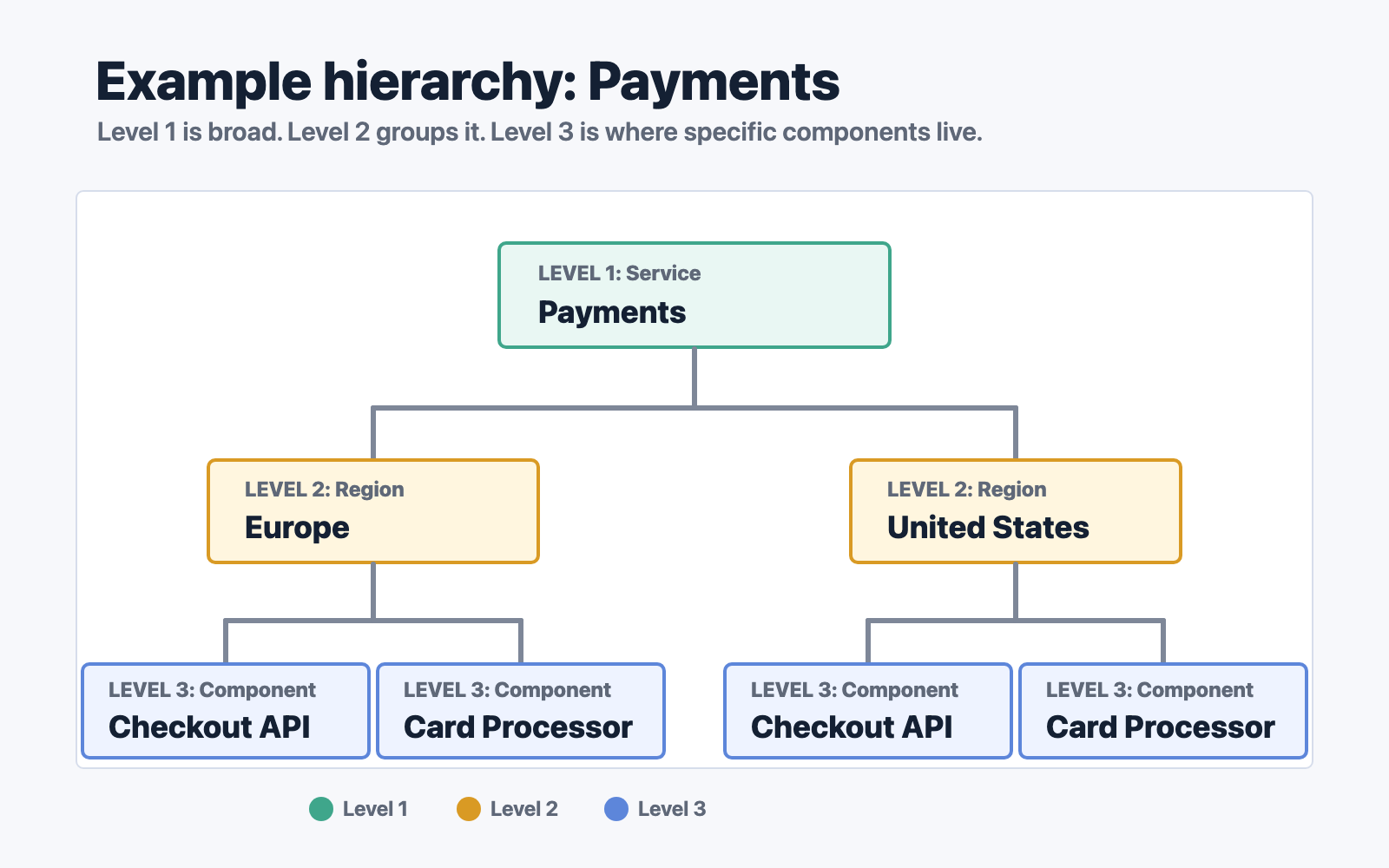
In the example above:
- Level 1: Service is the broadest layer: Payments.
- Level 2: Region groups that service by customer-facing location: Europe and United States.
- Level 3: Component contains the specific parts users depend on: Checkout API and Card Processor.
You can keep the model shallow when your product is simple, or make it deeper when your systems need more detail. A page can use as few hierarchy levels as you need, up to 10 levels deep.
Good hierarchy levels are logical layers in the way your users understand the service. For example, a SaaS product might use Product -> Region -> Component, while an infrastructure platform might use Platform -> Environment -> Cluster -> Service. Choose levels that make incidents, maintenance windows, and monitor results easy to place.