Hierarchy, Statuses, and Components
The hierarchy and status model are the foundation of every good StatiBeat page.
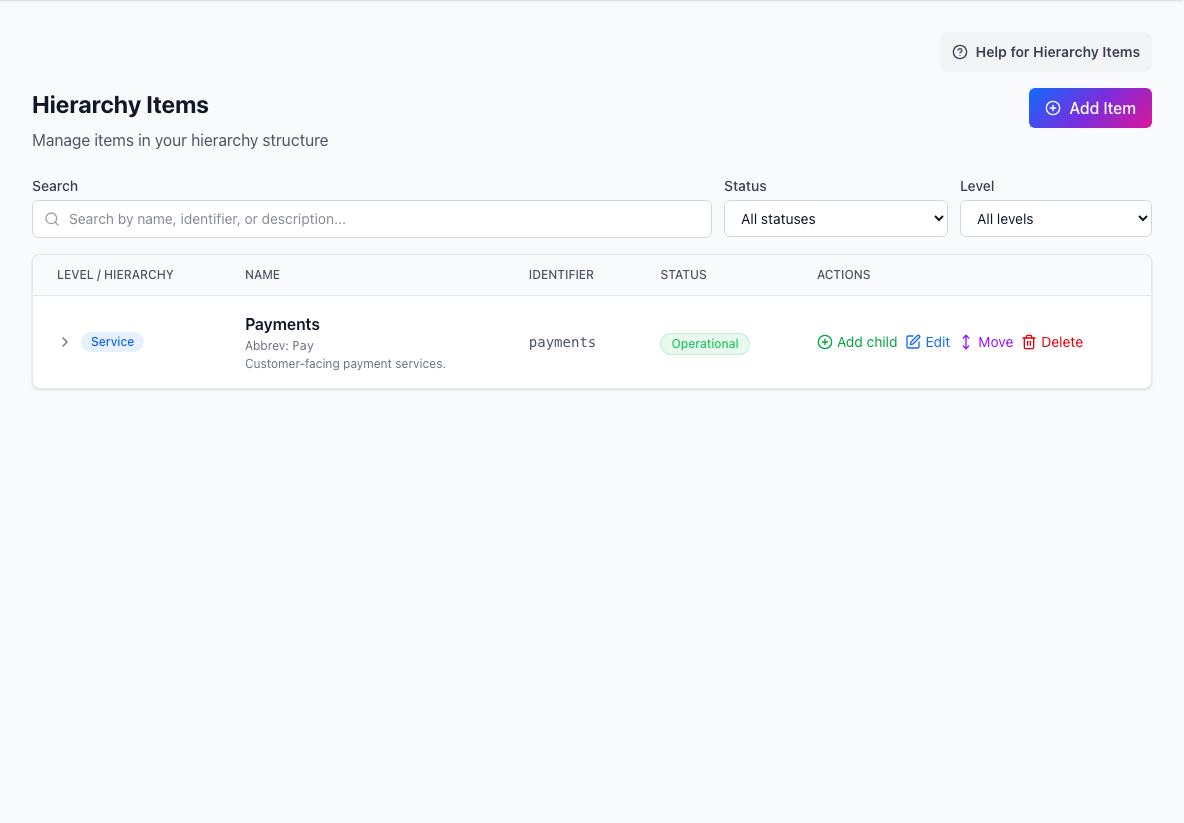
- Add ItemCreates a service, region, component, or another hierarchy item.
- Search and filtersNarrows the hierarchy by text, status, or level.
- Hierarchy tableShows each item, identifier, current status, and available actions.
Start with the structure customers understand
Hierarchy should reflect how your customers think about the service, not how your infrastructure team happens to organize internal systems.
Good top-level candidates are often:
- products
- services
- regions
- major components
Hierarchy levels vs hierarchy items
Hierarchy levels define the shape of the tree.
Hierarchy items are the actual entries inside that tree.
Each item can include:
- name
- abbreviated name
- identifier
- description
- parent relationship
- display order
- metadata
Why identifiers matter
Stable identifiers are important because they show up across multiple workflows:
- public page routing and filtering
- incident and maintenance impact selection
- custom views
- automation
- Terraform-managed configuration
Once people and systems rely on them, treat them as part of your public contract.
Designing useful status types
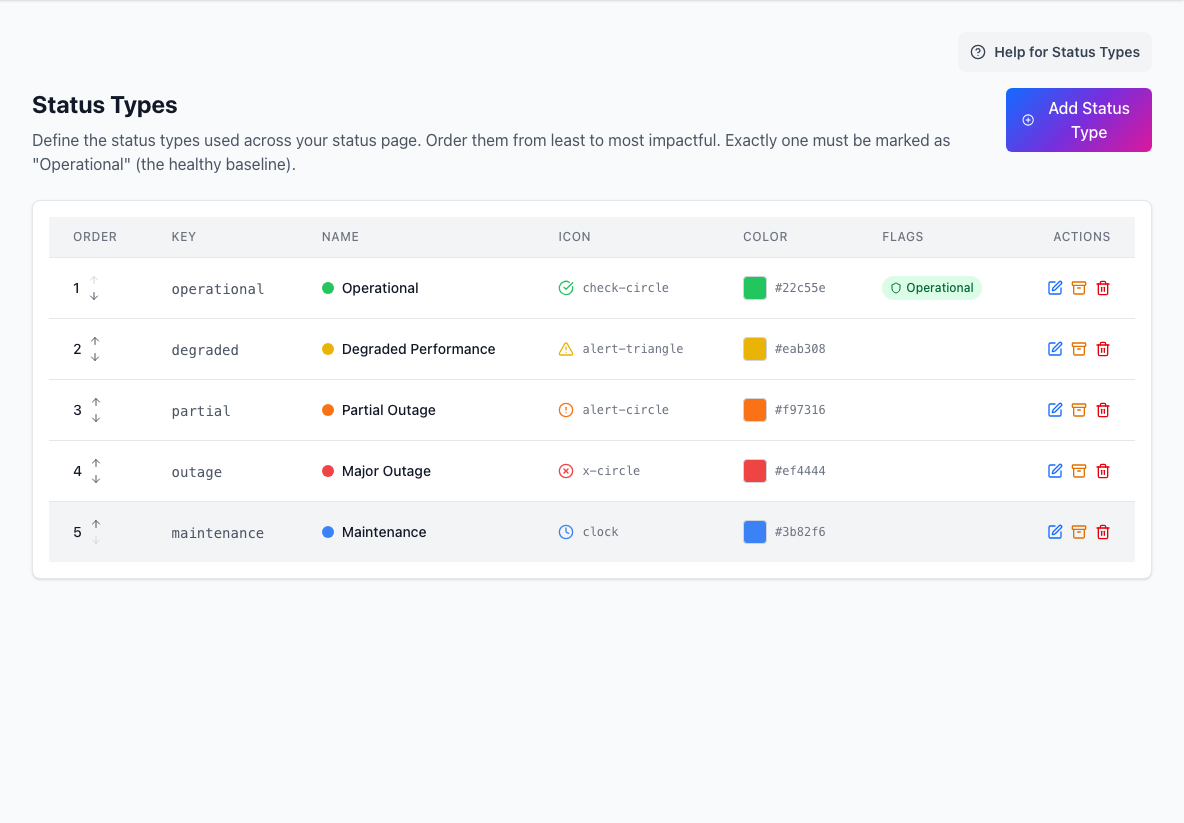
Status types are your impact vocabulary.
The simplest useful pattern is:
OperationalDegradedPartial OutageMajor Outage
The key operational rule is that exactly one status should be the healthy baseline.
How hierarchy and statuses work together
Hierarchy tells readers what is affected.
Statuses tell readers how badly it is affected.
That means a good model usually has:
- stable names
- clear parent-child structure
- a small number of well-understood status labels
Practical design advice
- Keep the tree understandable without admin context.
- Add more depth only when it helps customers interpret impact.
- Use abbreviated names where Slack or compact surfaces need them.
- Avoid two status labels that mean almost the same thing.
- Reorder status types from least to most severe.
When to revisit the model
Revisit hierarchy or statuses when:
- customers cannot tell whether they are affected
- incidents repeatedly require extra explanation
- custom views are doing too much work to hide a confusing tree
- your service model changed materially
If readers can understand impact at a glance, the model is doing its job.