Public Status Pages
The public status page is the customer-facing surface of StatiBeat.
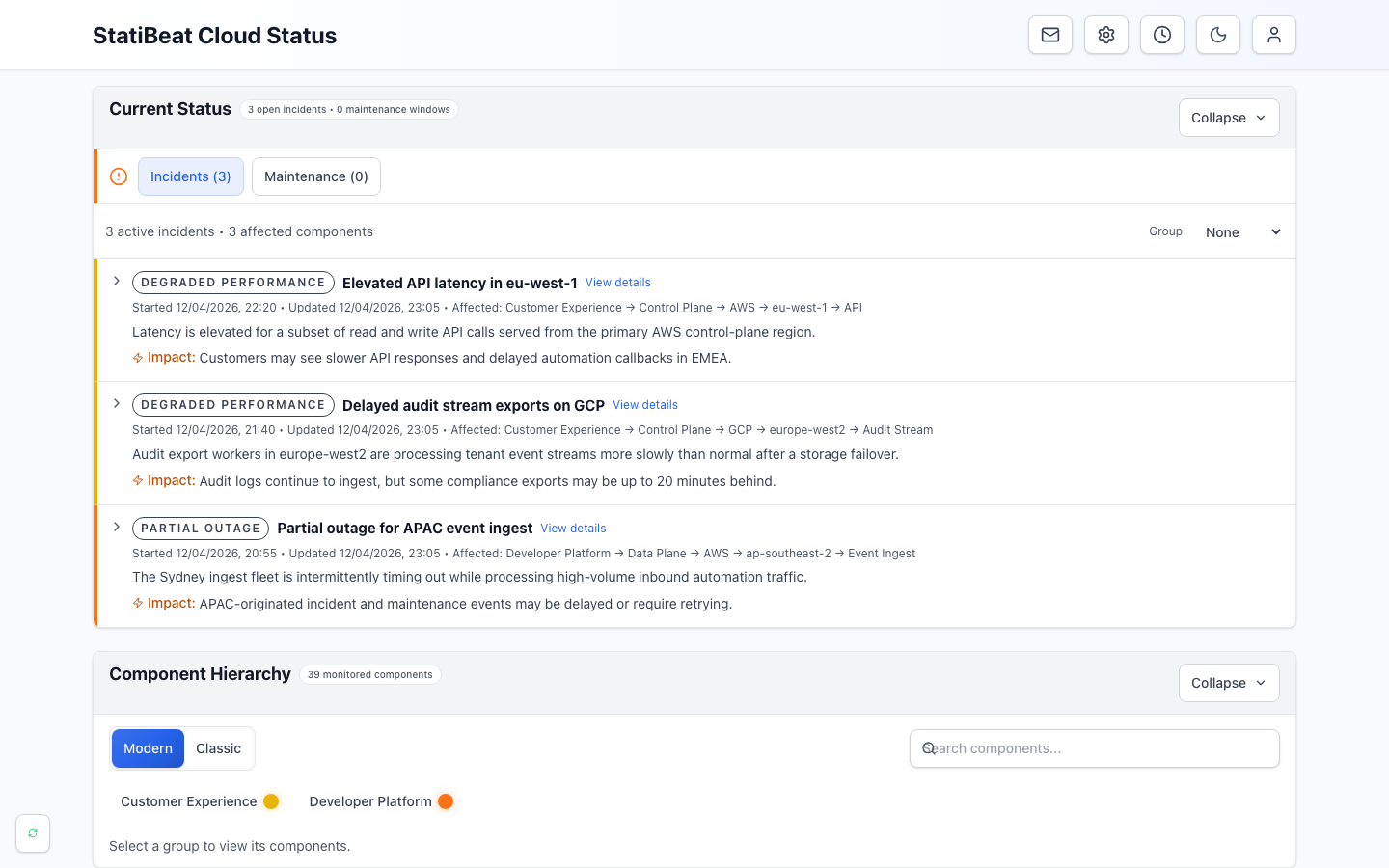
- Current statusSummarizes open incidents and maintenance at the top of the page.
- Active incidentsExplains customer impact, affected services, and the latest update.
- Component hierarchyLets readers browse the health of the products and services they use.
The public page should answer two questions quickly: what is affected right now, and what changed recently?
What the page shows
A status page can show:
- overall current status
- active incidents
- active and upcoming maintenance
- service or component hierarchy
- previous activity
- service, incident, and maintenance detail pages
Admins can choose the homepage section order and hide sections that do not fit the page's communication style.
Routing and access
Visitors can open the page through the StatiBeat fallback URL or a managed custom domain.
If the page is private, visitors authenticate before page data loads. Private pages can use:
- shared viewer password
- viewer SSO
- shared password or viewer SSO
Use Page Routing and Viewer Access to manage these settings.
Detail pages
From the homepage, readers can open:
- service detail pages
- incident detail pages
- maintenance detail pages
Resolved incidents can show a published Post-Incident Report when one is available.
Service detail pages can also show public metrics when a page admin has configured a public Beat for that service.
Incident cards
Incident card settings control what visitors see at a glance.
Admins can choose whether cards show:
- primary message
- affected summary
- started and last-updated times
- impact text
- a details link
The best card setup depends on your audience. Broad customer pages usually benefit from concise cards with a clear details link. Internal or technical audiences may want more context directly on the homepage.
Hosted embeds
Hosted embeds let you show status information outside the main status page.
StatiBeat supports:
- an SVG badge for docs, changelogs, and support portals
- an iframe widget for dashboards, help centers, and internal launchpads
Embeds inherit page visibility. They are easiest to use with public pages.
Public metrics
Public metrics are meant to help readers understand service health without exposing operator-level evidence.
When enabled for a mapped service, readers can see simple views such as day, week, or month summaries. Keep raw synthetic evidence and investigation detail in the admin workspace.
Analytics for admins
Admins can review bounded analytics for the public page and hosted embeds.
Analytics can help answer:
- how often the page is viewed
- whether embeds are being used
- how subscribers are growing
- how incident and maintenance communication is performing
- which notification channels are delivering successfully
Analytics are operational admin data. They are not shown as public page content.