Incidents, Maintenance, and History
StatiBeat is designed to make active issues clear and planned work understandable.
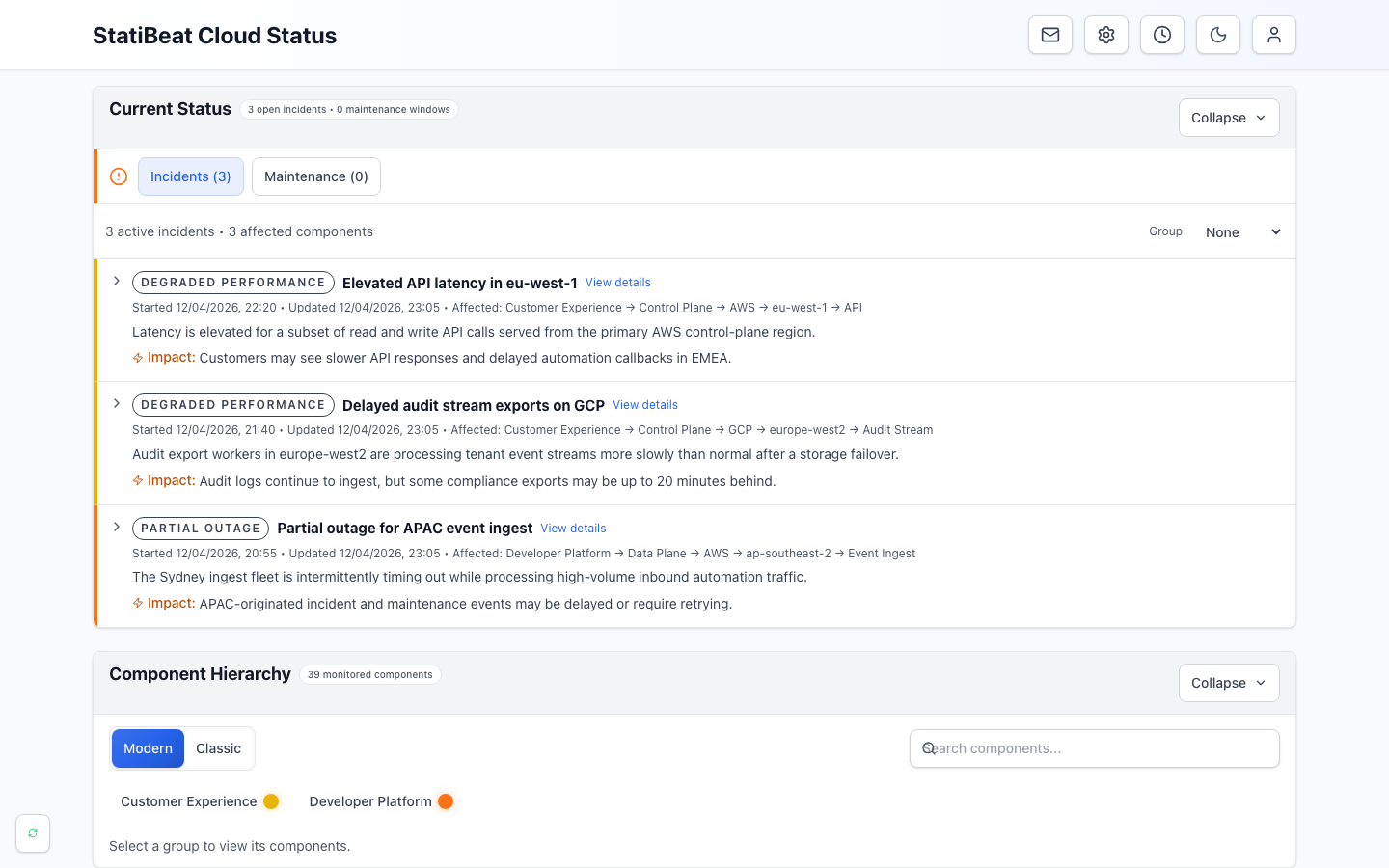
- Current statusSummarizes open incidents and maintenance at the top of the page.
- Active incidentsExplains customer impact, affected services, and the latest update.
- Component hierarchyLets readers browse the health of the products and services they use.
An incident is an unplanned problem. A maintenance window is planned work. Both can have updates, affected components, and a timeline, but the difference helps you interpret urgency.
Reading an active incident
When an incident is active, the public page is usually trying to answer:
- what is affected
- how severe the impact is
- whether the team is actively responding
- what changed most recently
The incident card or detail page can include:
- a description
- the latest status update
- affected components
- started and last-updated timestamps
- a link to the full incident details
- a published
Post-Incident Reportafter the incident is resolved
Reading a planned maintenance window
Maintenance communication usually focuses on:
- what is changing
- when it starts
- how long it may last
- which services might be affected
- whether the work is complete or still in progress
Planned maintenance is different from an incident because the work is expected, but the public experience should still make timing and impact obvious.
Using previous activity
Previous activity gives you context when the service is currently healthy or when you want to understand what happened recently.
It is useful for:
- checking whether an issue has already been resolved
- reviewing the timeline of recent maintenance work
- understanding whether similar events have happened before
- spotting which resolved incidents include a published
Post-Incident Report
Some resolved incidents may be posted after the service has already recovered. When that happens, the incident still appears in previous activity with the original event times and any timeline updates the team chose to publish.
Reading a Post-Incident Report
When a resolved incident has a published Post-Incident Report, it appears as part of the incident detail experience rather than as a separate download.
Use it when you want:
- a concise summary of what happened
- more detail than the live incident updates provided
- confirmation that the incident stayed resolved long enough for the team to publish a follow-up report
Interpreting updates well
The best way to read StatiBeat updates is:
- start with the most recent update
- confirm the affected scope from the hierarchy or component list
- check whether the issue is still active or already resolved
- look at previous activity if you need more context
When to take action
As a public reader, the usual next steps are:
- subscribe if you are not already receiving updates
- switch to a scoped custom view if the full page is too broad
- share the incident or maintenance detail link internally instead of screenshotting the homepage
That keeps everyone on the live source of truth rather than a stale snapshot.
If an update is unclear, share the detail link with the page owner and include the component or timestamp you are asking about. That gives the response team a precise starting point.