Subscribing and Managing Updates
Subscribing turns StatiBeat from a page you check manually into a system that notifies you when something important changes.
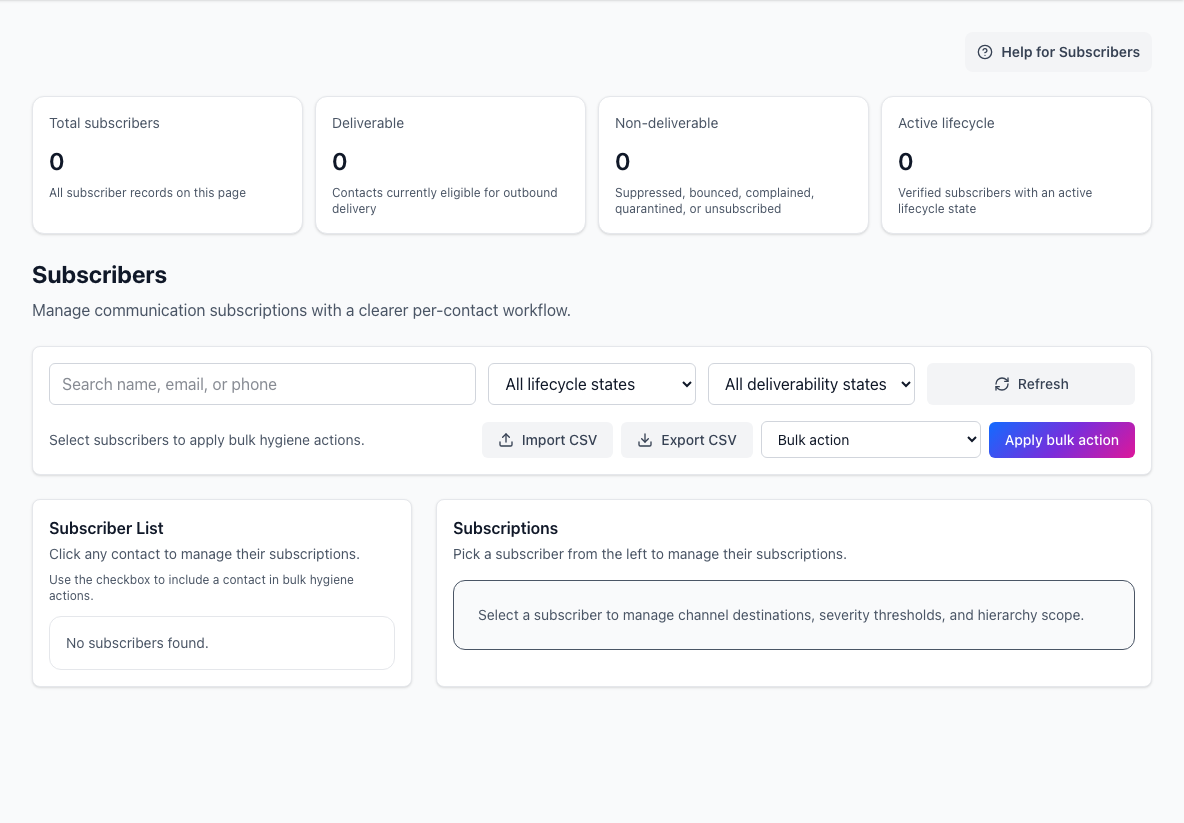
- Delivery summaryShows total, deliverable, and non-deliverable subscriber counts.
- Filters and bulk actionsFinds subscribers and applies import, export, or hygiene actions.
- Subscription detailsOpens the selected subscriber’s channels, severity, and hierarchy scope.
Decide whether you need every update or only one product, region, or component. A scoped subscription is usually easier to keep useful over time.
What subscribers can do
Depending on how the page is configured, you may be able to:
- subscribe by email and other enabled channels
- scope notifications to specific components or service areas
- choose which events matter to you
- manage your preferences later through a one-time access link
Typical subscription flow
The public subscription journey usually looks like this:
- Open the subscribe flow from the public page.
- Enter your email address or other supported destination.
- Choose the services, components, or views you care about.
- Save your preferences.
- Use the management link later if you want to update or remove those preferences.
After you save, look for a confirmation message or email. If the page requires email verification, finish that step before expecting notifications.
What you can subscribe to
Common subscription targets include:
- the full public status page
- one or more selected components
- incidents
- maintenance events
- custom views when your audience only needs a scoped subset of the service
The exact options vary by workspace configuration, but the goal is the same: only receive updates that matter to you.
Managing an existing subscription
StatiBeat includes a self-service management flow so you do not have to ask an admin every time your preferences change.
The management link is a magic link: a one-time email link that opens your preferences without a separate password. Keep it private and request a new one if it expires.
That management workspace can be used to:
- change the components you follow
- adjust channel preferences
- stop receiving certain event types
- manage custom views or RSS feeds you own or control
When to subscribe to the full page vs a scoped view
Subscribe to the full page when:
- your team depends on most of the platform
- you want the broadest possible visibility
- central operations or leadership need the whole service picture
Subscribe to a scoped view when:
- you only care about one product area or service slice
- your team would be distracted by unrelated incidents
- a customer-specific or business-unit-specific view exists
Practical advice
- Subscribe before the next incident, not during it.
- Review your notification scope when your team or ownership changes.
- Prefer scoped subscriptions when the full page is too noisy for your role.
- Keep your management link accessible so you can update preferences without delay.