Subscribers and Management
Subscriber management controls who receives updates and how they manage their own communication preferences.
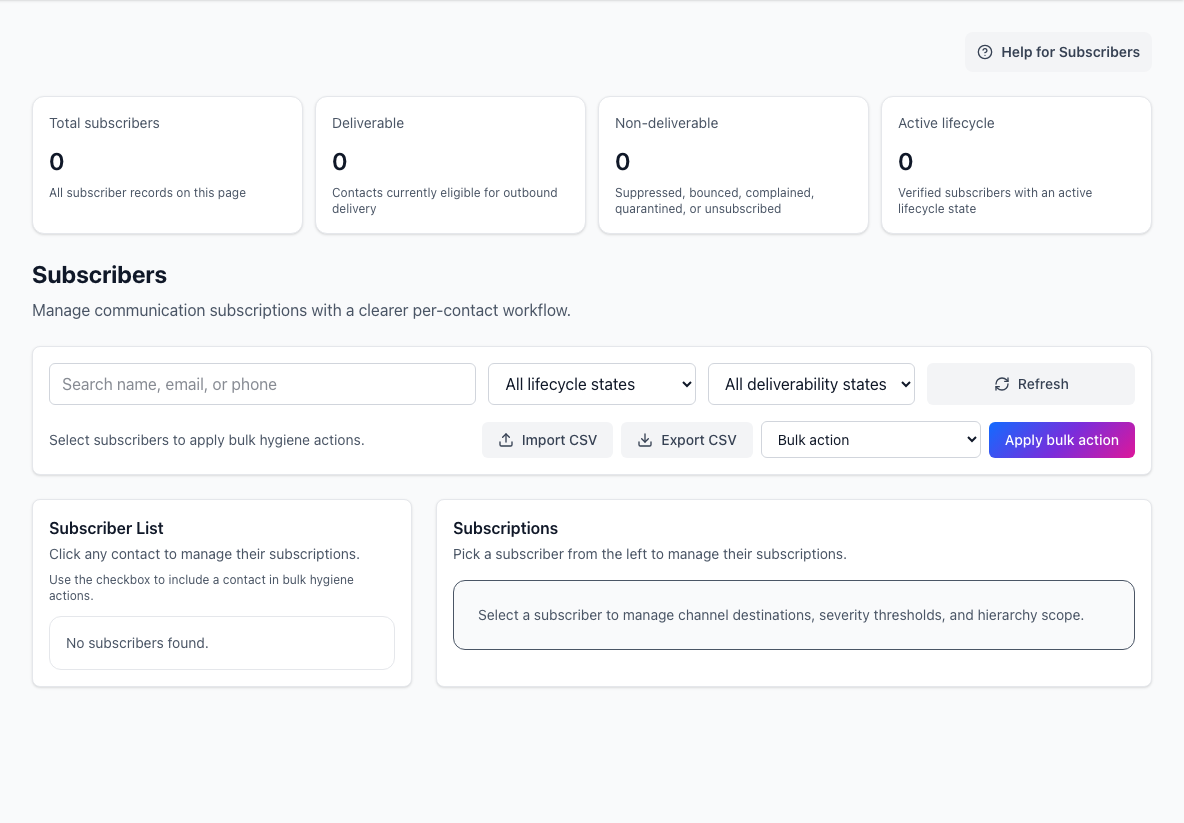
- Delivery summaryShows total, deliverable, and non-deliverable subscriber counts.
- Filters and bulk actionsFinds subscribers and applies import, export, or hygiene actions.
- Subscription detailsOpens the selected subscriber’s channels, severity, and hierarchy scope.
Subscriber settings turn incidents and maintenance into real delivery behavior. Keep them clean before relying on broad customer notifications.
Subscriber self-service
Subscribers can request a one-time management link with their email address.
From the management workspace, users can:
- create and update subscription profiles
- manage channel preferences
- scope subscriptions to selected components
- choose incident and maintenance delivery
- manage custom views they own or control
- manage RSS feeds they own or control
- assign or remove managers for delegated resources
Self-service is best when subscribers or delegated managers should own their own preferences.
Page-admin subscriber management
Admins can use the subscribers area to:
- search by name, email, or phone
- filter by lifecycle state
- filter by delivery hygiene state
- inspect subscriber counts
- export filtered subscribers as CSV
- import subscribers from CSV
- apply bulk hygiene actions
- open a subscriber profile
- edit that subscriber's subscriptions
Delivery hygiene
Subscriber hygiene states help admins understand whether notifications should be sent.
Common states include:
deliverableunsubscribedmanual_suppressedbouncedcomplainedquarantined
Use hygiene actions carefully. They affect whether recipients receive future incident and maintenance messages.
Admin vs self-service
Use admin subscriber management when support or operations needs to fix a recipient's setup directly.
Use self-service management when the subscriber, customer owner, or delegated manager should control the settings themselves.